July 20, 2026


- Home
- Services
- Resume Example
- Resume Review
- Reverse Recruiting
- BlogJuly 19, 2026July 18, 2026July 17, 2026July 16, 2026July 15, 2026July 14, 2026July 13, 2026
- Contact Us
10 Resume Formatting Mistakes That Confuse ATS Systems

Get A Professional Resume Review

Get A Professional Resume Services

Get in Touch With Experienced Writer
Home » ATS Resume » 10 Resume Formatting Mistakes That Confuse ATS Systems
10 Resume Formatting Mistakes That Confuse ATS Systems
ATS & Resume Tips
🇨🇦 Canada & 🇺🇸 USA
8 min read
June 2025
10 Resume Formatting Mistakes That Confuse ATS
ATS systems reject resumes for formatting errors most people never notice. Here are the 10 biggest mistakes — and exactly how to fix each one for Canada and USA jobs.
95%
Employers use ATS
75%
Rejected automatically
#1
Cause: poor formatting
RT
Resume Thrive Editorial Team
Certified Resume Writers & Career Coaches · June 2025
Your resume could be perfectly written — strong experience, great keywords, compelling achievements — and still never reach a human recruiter. The reason? A formatting mistake the ATS can't read.
In Canada and the United States, over 95% of mid-to-large employers use Applicant Tracking Systems to filter applications automatically. These systems don't think — they parse. And when your resume formatting confuses the parser, your content disappears, your score drops, and your application gets archived before anyone reads a word.
Here are the 10 formatting mistakes that trip up ATS systems every day — and exactly how to fix each one.
95%
Employers use ATS
75%
Resumes auto-rejected
#1
Cause: formatting errors
The 10 Mistakes
1
Using a multi-column layout
Two-column resume templates look sleek in design apps. But ATS parsers read left to right, top to bottom — like a text file. A two-column layout causes the system to mix content from different sections, scrambling your job titles, dates, and skills into unreadable data.
Fix: Use a single-column layout only. Every section flows top to bottom. No exceptions.
2
Putting contact info in the Word header
Many resume templates place your name, phone, and email inside a Word document header. Most ATS platforms cannot read content in headers or footers. Your contact information simply doesn't get captured — meaning no one can call you even if your resume makes it through.
Fix: Place all contact details — name, phone, email, LinkedIn, city — at the top of the main document body.
3
Using tables to organise content
Tables are a common way to create clean side-by-side layouts. ATS parsers handle tables poorly — content inside cells is often misread, merged with adjacent cells, or skipped entirely. Your skills section may simply vanish from the parsed data.
Fix: List skills as plain text, comma-separated or one per line. No tables anywhere in the document.
4
Uploading PDF when DOCX is better
PDF is not universally safe. Older ATS platforms — including Taleo, which is widely used by large Canadian and US corporations — struggle to parse PDFs accurately, especially those created from design software. Content gets skipped or the parser fails entirely.
Fix: Default to .docx unless the job posting specifically requests PDF. DOCX is universally compatible with every major ATS.
5
Using images, icons, or graphics
Profile photos, skill rating icons, logos of past employers, and decorative elements are completely invisible to ATS parsers. The system skips them entirely. Any information contained in or near those graphics may not be captured at all.
Fix: Remove every image and graphic. Replace visual skill ratings with plain text — "French: Professional working proficiency."
Free Tool
Are you making these mistakes?
Upload your resume and get an instant ATS scan. See exactly what's broken and how to fix it.
6
Using unconventional section headings
✗ ATS will fail
My Journey · Where I've Been · What I Bring · My Expertise
✓ ATS reads correctly
Work Experience · Education · Skills · Certifications
Fix: Use only standard, conventional section headings throughout your resume.
7
Using fancy fonts or special characters
Decorative fonts, symbols used as bullet points (◆ ✦ ★), and special Unicode characters often fail to render correctly inside ATS systems. The parser may produce garbled text or question marks where your carefully chosen symbols appeared.
Fix: Use standard fonts (Calibri, Arial, Georgia, Times New Roman) at 10–12pt. Use standard round bullet points only.
8
Using text boxes
Word's text box feature is commonly used to position content visually. ATS parsers treat text boxes like invisible objects. Any content inside a text box is typically not extracted during parsing — it simply disappears.
Fix: Remove all text boxes. Move the content directly into the main document body as standard paragraph text.
9
Listing dates in non-standard formats
ATS systems calculate your years of experience from the dates in your work history. If your date format is unusual or inconsistent — "2019–'22" or "2020/03" — the parser may misread them and calculate your experience incorrectly, potentially disqualifying you from roles you're qualified for.
Fix: Use consistent, standard date formats: "January 2020 – March 2022" or "Jan 2020 – Mar 2022" throughout.
10
Saving with a messy file name
File names like "resume_FINAL_v3_USE THIS ONE.docx" look unprofessional in ATS systems and recruiter inboxes. Some platforms display the file name exactly as submitted to hiring managers — first impressions start before anyone opens the document.
Fix: Save as: FirstName-LastName-Resume.docx (e.g. Sarah-Johnson-Resume.docx). Clean, professional, unambiguous.
"A well-written resume with poor formatting scores lower than a mediocre resume with clean formatting. The machine reads the structure first."
Resume Thrive — Career Research 2025
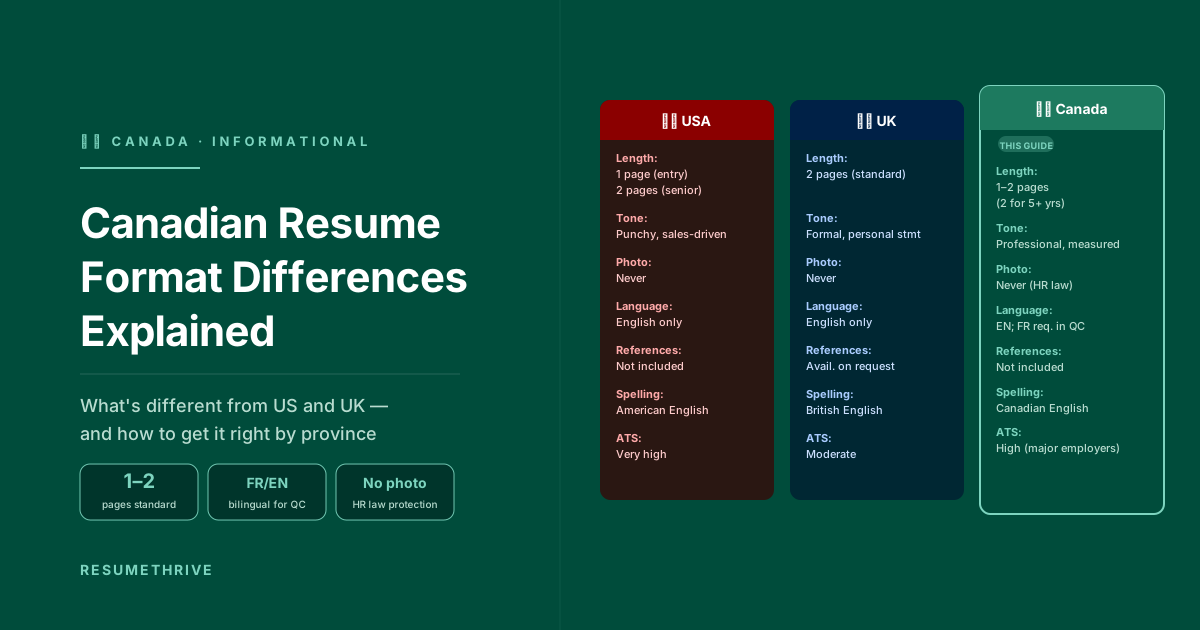
A Note for Canadian Job Seekers
All 10 mistakes above apply equally to Canadian resumes. Canadian employers use the same ATS platforms as US companies — Workday, Greenhouse, iCIMS — so the formatting rules are identical.
Canada Tip
If you're applying to bilingual roles in Quebec, include both English and French versions of key skills and certifications. Some Canadian ATS setups are configured to search in both languages, increasing your keyword match rate. Also — never include a photo on a Canadian resume, regardless of what your template suggests.
Your ATS Formatting Checklist
Before Every Application
Single-column layout — no tables, no columns
Contact info in the main body — not in a Word header
Saved as .docx unless PDF specifically requested
No images, icons, photos, or graphics of any kind
Standard section headings: Work Experience, Education, Skills
Standard font at 10–12pt — no text boxes
Consistent date format: Jan 2020 – Mar 2022
File named: FirstName-LastName-Resume.docx
RT
Certified Resume Writers
Resume Thrive Editorial Team
Our certified resume writers and career coaches have helped 2,400+ professionals across the USA, UK, Canada, Australia, and New Zealand land interviews at top companies. Every article is written by real humans — no AI, no fluff.
Take the next step
Want an expert to fix it for you?
Our certified writers will rebuild your resume from scratch — ATS-optimised, human-written, delivered in 48 hours. Trusted by 2,400+ professionals across Canada and the USA.
✓ 48-hour delivery
✓ Unlimited revisions
✓ Zero AI